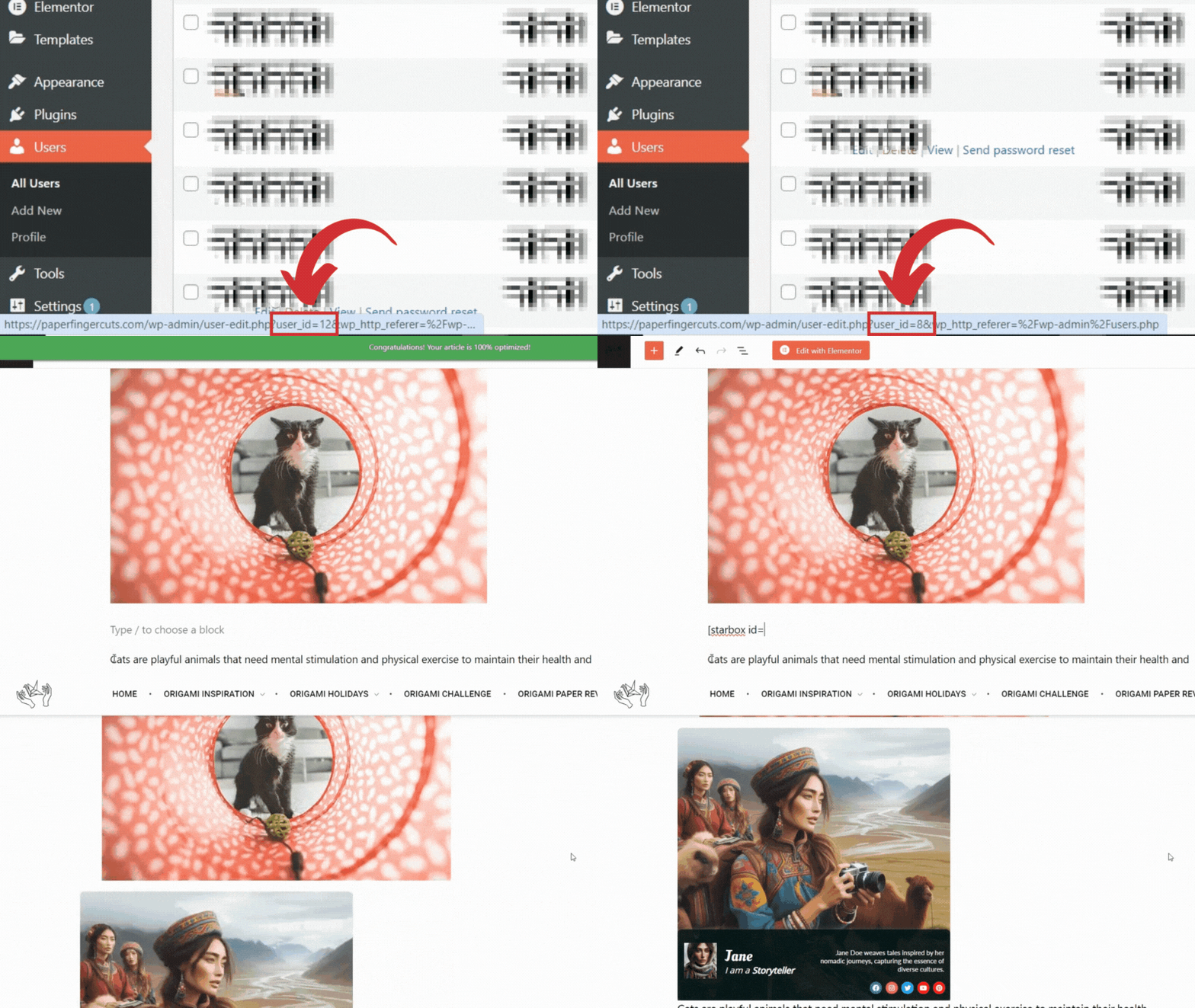

How to add Shortcodes: Gutenberg Editor
- Once you have the USER_ID, navigate to the post or page where you want to insert the shortcode.
- Decide where you want the author bio to appear within your content.
- Click on the ‘+’ button to add a new block.
- Search for and select the ‘Shortcode’ block.
- Enter your Starbox shortcode (
USER_IDwith the actual ID of the author.
Note: You can also insert the Starbox Shortcode as text, without needing to use the ‘Shortcode’ block. Simply type or paste the Starbox shortcode at the chosen location in your content, replacing USER_ID with the actual ID of the author.